
Expense Tracker
Know where every rupee goes.
Expense Tracker gives you complete control over your finances — no cloud, no accounts, no data leaving your device. Built for Indian users with a clean gesture-first interface, powerful filtering, and detailed analytics. Your data stays yours.
No data collected · works fully offline — verified on Play Store
Why Expense Tracker?
Private by Default
All data stored locally on your device. No cloud, no accounts, no tracking.
Works Offline
Fully functional without internet. Your data is always available.
Gesture-first
Swipe to delete, swipe to edit. Fast and intuitive by design.
Built for India
Indian Rupees (₹), designed around how Indians manage money.
Every feature earns its place.
Wallet Summary
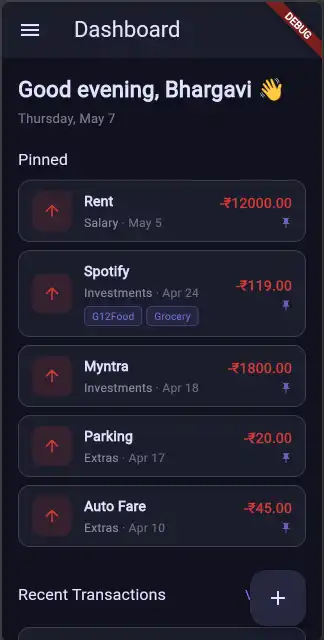
Live balance card showing total income, total expenses, and net balance.
Accounts
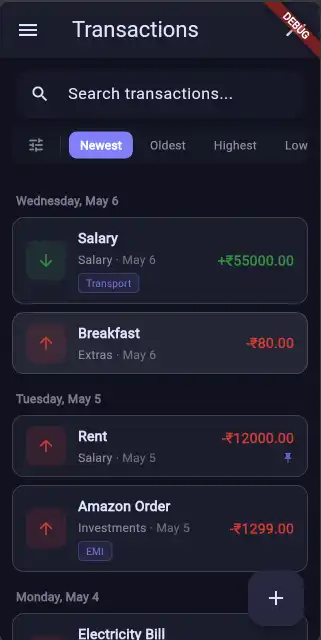
Create named accounts (HDFC, Cash, UPI) and link transactions to them.
Custom Tags
Tag transactions with labels like "groceries" or "EMI" and filter by them.
Analytics
Visual charts and breakdowns to understand your spending patterns.
Advanced Filters
Filter by type, account, date range, or multiple tags — all in one panel.
Backup & Restore
Export and import your data locally. Full control, no cloud required.
Dashboard
Three steps, start to finish.
Capture
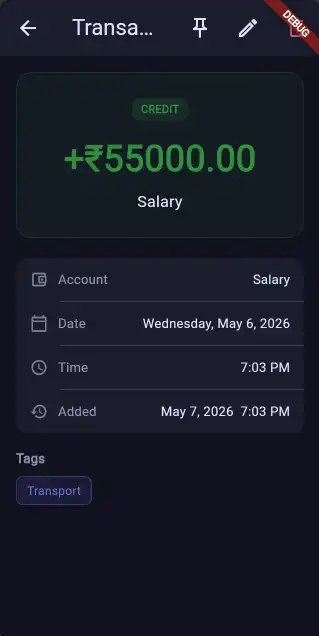
Add a transaction in a couple of taps — amount, account, tags. Swipe to edit or delete later.
Organise
Link entries to accounts like HDFC, Cash, or UPI, and tag them — groceries, EMI, subscriptions.
Reflect
Charts and filters show where the money actually went — by month, account, or tag.
Boring, battle-tested tooling.
Questions, answered.
Need help with Expense Tracker?
Report an issue or get in touch — every message gets a reply.